Western Rye Performance and Settings
Turn on the upscaler the spec sheet already assumed you would use.
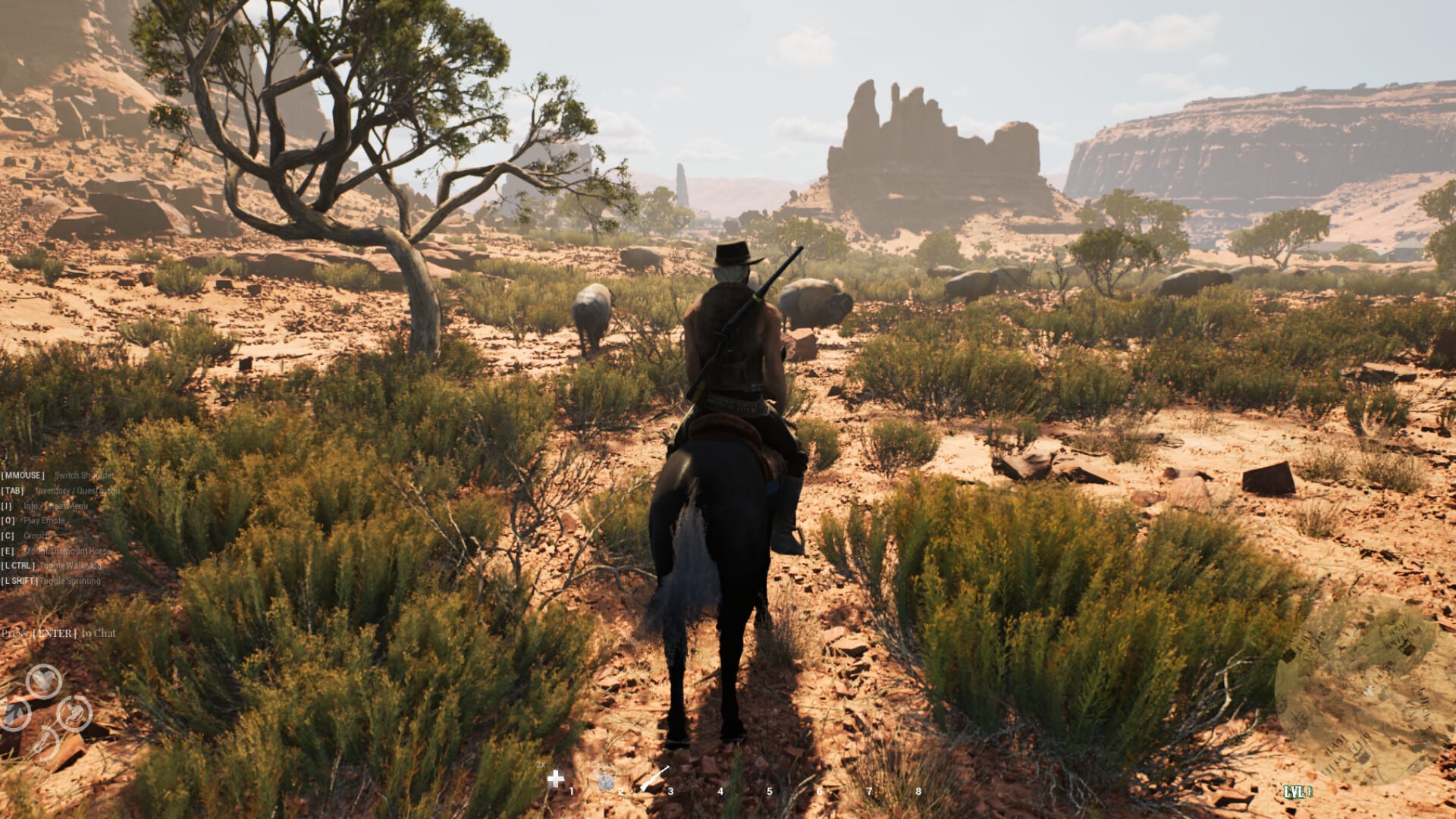
Western Rye is an Unreal Engine 5 canyon on a small-studio budget. Steam’s minimum and recommended lines were both tested with DLSS, FSR, or XeSS enabled. Day-one notes had to mention V-Sync. Day-two notes told players they can enable V-Sync in the in-game menu to stop tearing, and they patched a shaky inventory screen plus disappearing player hands. This page is the settings pass that belongs next to the spec sheet.
If you have not read the numbers yet, open system requirements first. This page assumes you already accepted 16 GB as a low-quality floor and 32 GB as the comfortable ranch.
How to stop tearing and stutter before you ride
Install the latest Steam build. Launch-week hotfixes already touched collision, UI bugs, V-Sync in settings, world props, invites, hands, inventory shake, and two story gates. Playing an unpatched client is how people diagnose “broken game” on bugs the studio already listed. The Updates Hub is the changelog.
Open settings before the first sandstorm. Enable V-Sync if the screen tears. Pick the upscaler your GPU actually has: DLSS on NVIDIA, FSR on AMD, XeSS on Intel Arc. The store page already counted those in the spec test. Turning them off on a GTX 1060 to chase native 1080p is how a porch becomes a slideshow. A slideshow is how Husks win, because you hear your GPU instead of footsteps.
Cap expectations to the quality line you paid for. Minimum is low quality plus upscaler. Recommended is high quality plus upscaler. Neither line promises a trailer on a laptop with 8 GB of RAM. An SSD is preferred on both. Install there if you can; cave pops are worse on a dying platter when something is already listening.
How launch bugs looked like “performance”
A shaky inventory is not a frame-time essay. Day two patched it. Disappearing hands are not an LOD philosophy. Day two patched those too. If your character’s arms vanish or the bag jitters, update before you rebuild the entire graphics stack. Controls covers the rest of the input pass, including Shift as a run toggle that first-look players already fought.
UI bugs were a day-one note. If menus snap or a prompt feels hostile, patch, then remap. Do not fight a leftover launch exe. Partial controller support is still partial. Keep a mouse for building placement even if the pad feels fine on a horse. Horse riding is smoother when the frame time is honest.
Mixed Steam reviews after launch are a real signal, not a vibe. A slice of that mix is Early Access honesty: animation quirks, hitching, and a heavy spec. A slice is patch lag — people reviewing the Tuesday exe on Thursday. Read recent notes before you refund on a bug that already has a sentence in Steam news.
How to keep the ranch playable in co-op
Online co-op needs internet except on LAN. Four players, four horses, weather, and gunfire are a different bill than a quiet solo porch. If the host hitchs, the posse hitchs. Agree on quality before you invite. The day-two invite fix means you can actually get friends in; it does not mean the canyon got cheaper. Co-op is the social rules. This page is the GPU rules.
Lower the sky before you lower your standards for weather. Sandstorms are supposed to blind you. They do not have to melt the frame time. Drop shadows and foliage before you drop resolution to a postage stamp. Then go play. A perfect screenshot ranch that cannot close a door is a museum.
How this page fits the buy-or-wait question
If the machine cannot hold a town street, it will not hold a four-person cave. Wishlist and wait for optimization notes. If the machine clears recommended, patch, turn the upscaler on, and go plant. The Review Hub owns the value question. Hardware is only the gate.
When a future note adds a graphics preset, a frame-gen toggle, or a real Steam Deck claim, it will land on Updates first. Until that post exists, this is the whole performance guide: patch, V-Sync, upscaler, SSD, 16 GB minimum, 32 GB if you like the canyon. Then drink water. The desert does not care that your overlay said 144.
Frequently Asked Questions
Quick answers to the most common questions.
How do I stop screen tearing in Western Rye?
Enable V-Sync in the in-game menu. Day-one and day-two notes both pointed at that toggle.
Do I have to use DLSS, FSR, or XeSS?
The published specs were tested with those upscalers on. Plan to use the one your GPU supports.
Why are my hands missing or the inventory shaking?
Day-two hotfixes targeted disappearing hands and a shaky inventory. Update Steam before you rebuild settings.
Will this run well on 16 GB of RAM?
That is the minimum line at low quality with an upscaler. Recommended is 32 GB.