Western Rye Controls
PC first, partial controller support, and settings that day-one patches already touched.
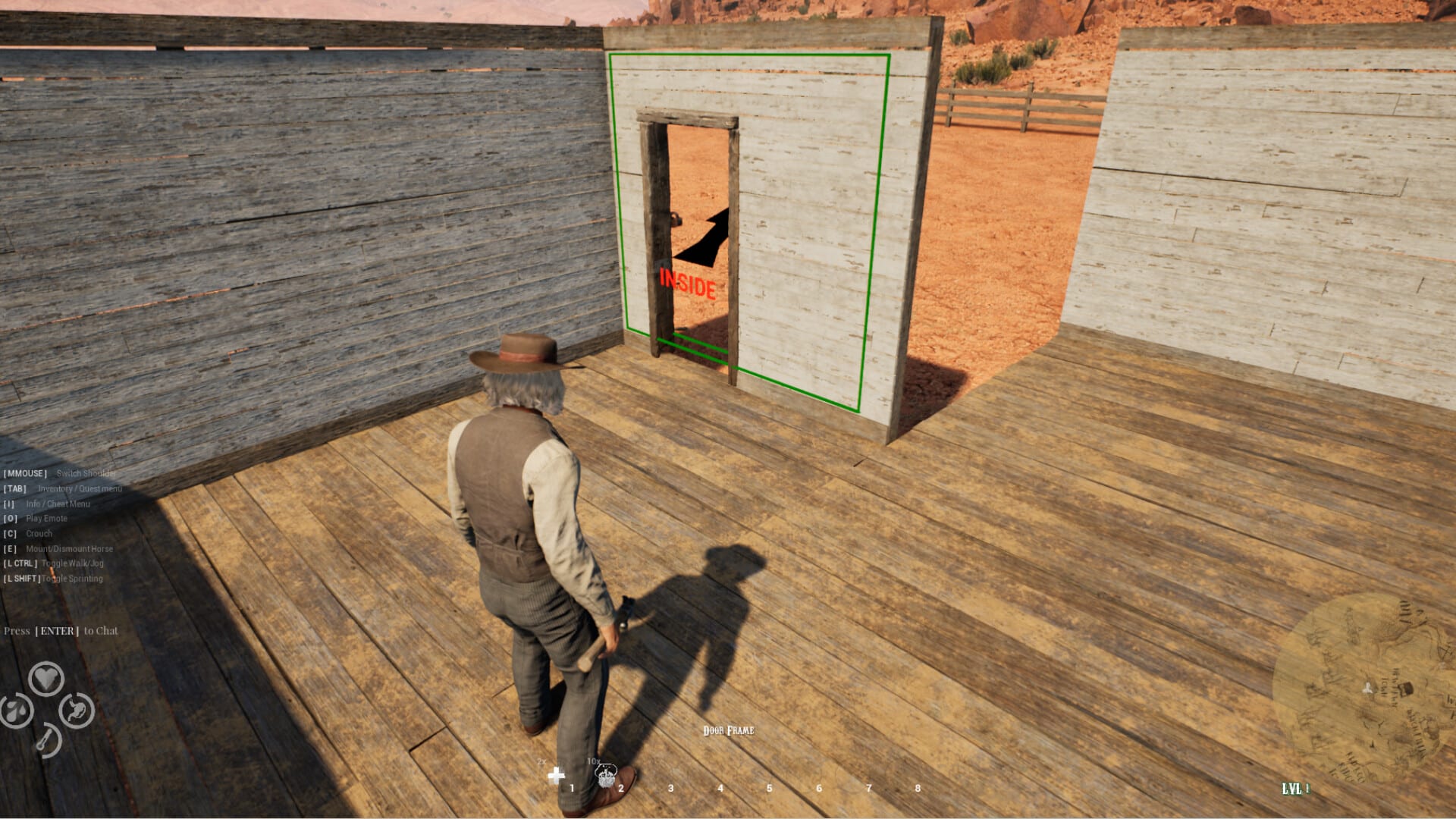
Western Rye is a Windows Steam game with single-player, online co-op, and partial controller support. There is no official public keycard carved in stone, and Early Access UI already needed a day-one pass. This page tells you how to think about controls, what to check in settings, and how input mistakes get people killed by thirst or Husks.
If a prompt feels broken, update the build before you remap your entire personality. Nixalon’s first hotfixes called out UI bugs and V-Sync. Day two repeated that V-Sync lives in the in-game menu to stop tearing, and patched a shaky inventory screen. Those notes matter more than a folk tale about a secret bind. The longer settings pass sits on performance and settings.
How to play on keyboard and mouse
Expect a standard PC survival layout: look with the mouse, move with WASD-style keys, interact with a use key (footage treats E as the talk-and-take verb), manage inventory from a menu, and fire with the usual mouse buttons. Shift often toggles run rather than acting as hold-to-sprint. First-look riders already fought a character who would not walk. Confirm the toggle in settings after you patch, then practice a stop in the homestead doorway described in homestead building. Do not learn binds during a sandstorm.
A horse inherits the same panic. If the animal only wants to gallop, you are still in toggle-run land. Get off before shops and cellars. Horse riding is the dedicated page. Sensitivity is a survival stat. Too high and you waste revolver shots. Too low and a Husk reaches the porch. Practice on a cactus, not on a story NPC. The getting started page wants you quiet at night; a twitchy mouse is just another noise tax when you miss and keep firing.
Inventory discipline beats extra binds. If you cannot find the stove meal you cooked, you will eat raw cactus in a cave. Keep tools, ammo, and food on hotkeys you can hit without opening a novel. Crafting and mining only works if the axe is not buried under furniture pieces.
How to play with a controller
Partial controller support means some actions will feel native and some will send you back to the mouse. That is not a hidden full gamepad mode waiting behind a rumor. If you prefer a pad for riding and looking, keep a keyboard in reach for menus, building placement, and anything the UI still treats as a cursor job. Day-one UI fixes should have removed some of the worst snapping. They did not rewrite the product into a console port.
Deadzones matter on horseback and in gunfights. If the horse drifts, fix the stick before you blame the animal. More horse behaviors are still on the Early Access roadmap. Your current horse is not a finished character actor.
How settings keep you alive
V-Sync, frame pacing, and upscalers are part of the advertised spec story. Minimum and recommended notes were tested with DLSS, FSR, or XeSS enabled. If the canyon stutters, do not only drop shadows. Read system requirements and performance, then try the upscaler the store page already assumes you will use. If the inventory jitters, patch; that was a day-two item, not a bind.
Accessibility here is practical: a stable frame time helps you hear Husks instead of hearing your GPU cry. Pair that with the hearing rules in how to beat Husks. A beautiful 20-FPS dusk is how people dump a magazine into silence.
Key conflicts show up in co-op when four people use four overlay stacks. Close the extra software. The frontier does not need another push-to-talk fighting the interact key.
How controls connect to the rest of the loop
Building placement is the hardest “control” in the game and it is not a bind. Nudge foundations until the door sits where you can close it under stress. Then farm and cook without fighting the cursor. The farming guide and cooking pages assume you can stand still long enough to use a station.
If you came here hoping for a Roblox-style emote wheel or a code menu, you are in the wrong genre. Western Rye is a PC survival-crafting Early Access title. Use this page as a settings and mindset guide, then return to the Guides Hub for the how-tos that actually move the story.
When a future patch publishes a full bind list or deepens controller support, it will be noted on the Updates Hub. Until that post exists, patch first, bind second, and keep a door behind you.
Frequently Asked Questions
Quick answers to the most common questions.
Does Western Rye support a controller?
Steam lists partial controller support. Expect to keep a mouse nearby for menus and building.
Where is the official keybind list?
Use the in-game settings on a patched build. This wiki does not invent a bind table the studio has not published.
Why does the UI feel off?
Day-one notes already mentioned UI bugs and V-Sync. Day two patched a shaky inventory. Update Steam, then remap.
Does Shift hold sprint?
Footage treats Shift as a run toggle. Confirm in settings after you patch, then practice a stop before town.